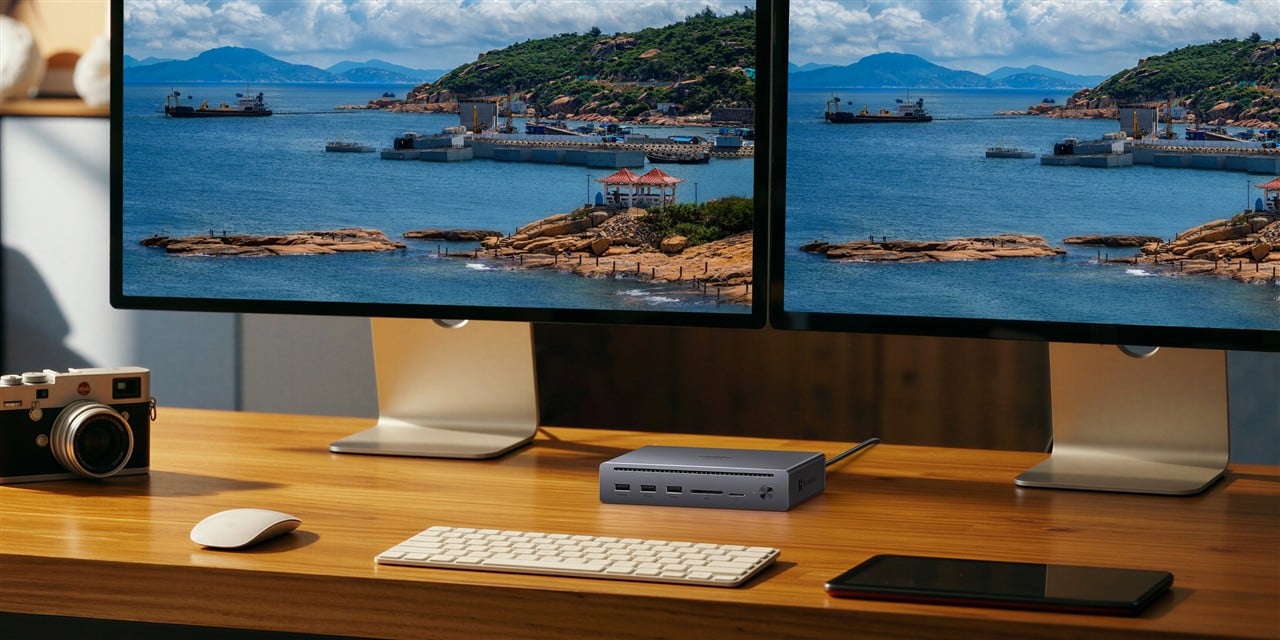
My desk has a dongle problem. Between managing file transfers to my UGREEN iDX 6011 Pro NAS, running a monitor, and keeping my phone and headphones charged, I had accumulated a tangle of adapters that multiplied every time I added a device. The UGREEN Revodok Maxidok line is built to fix exactly that - and after testing the 10-in-1 Thunderbolt 5 unit that UGREEN sent over for review, I have a clear picture of where each model in this lineup belongs.
The UGREEN Revodok Maxidok 10-in-1 Thunderbolt 5 Docking Station is available directly from UGREEN at the MSRP of $299.99 (currently $249.99 at launch pricing), and you can also find it on Amazon.com. The 17-in-1 version is available from UGREEN's official store at $389.99 launch pricing ($499.99 MSRP), and also on Amazon.com.
Both Maxidok docks run Thunderbolt 5 with 120Gbps bandwidth - faster than any dongle in your drawer. The decision comes down to what's on your network and how hard you push it.
- The 10-in-1 is the right call for home offices running a capable NAS like the DXP4800 Plus - clean desk, fast transfers, 100W laptop charging, without paying for ports you won't use.
- The 17-in-1 justifies its $389.99 price if you're running a high-throughput setup like the iDX 6011 Pro - the 2.5GbE ethernet port removes the bandwidth ceiling that limits the 10-in-1 for serious NAS workflows.
- Neither dock includes an HDMI port - if your monitors connect via HDMI, you need an adapter before you buy.
- The 17-in-1 adds a built-in M.2 NVMe PCIe Gen4 slot (up to 8TB), turning the dock into a local storage hub on top of everything else.
- At 140W total system power, the 10-in-1 charges your laptop at up to 100W while simultaneously powering connected peripherals - one cord in, everything on.
From Dongle Drawer to One Cable
There's a tipping point with laptop accessories where the adapters start defeating the purpose of having a portable computer. I hit mine with my current home office setup - the iDX 6011 Pro sitting on the shelf, a monitor that needed its own connection, and a phone and headphones each competing for the remaining ports. UGREEN's pitch with the Revodok Maxidok line is simple: one Thunderbolt 5 cable from the dock to your laptop, and the dock handles everything else.
After spending time with the 10-in-1, that pitch holds up. Mostly.

Quirk Hotel: The Perfect Dog-Friendly Stay for a Guys' Trip in Richmond, Virginia
Quirk Richmond is a dog friendly hotel.

Galapagos Cruise Adventures: A Bucketlist Guys Getaway Guide
Visiting the Galapagos Islands is a bucket list adventure for many people, here's what you need to know before booking your cruise.

14 Days Private Honeymoon Trip to Thailand
A 14 day private honeymoon trip to Thailand for couples. Enjoy Krabi beaches, snorkeling, a floating market visit and a Grand Pearl river cruise.

Alaskan Glacier Blues & Coastal Views Cruise
Experience the breathtaking beauty of Alaska on this 7-night cruise, featuring stunning glaciers and coastal views. Enjoy unique onboard experiences and explore charming ports along the way.
Promoted by FlowAds

UGREEN Revodok Maxidok 10-in-1: Ports, Power, and Real-World Use
The 10-in-1 is a slim aluminum unit with a built-in TB5 host cable already attached - a smart design call for a dock that's meant to live on your desk permanently rather than get swapped in and out of a laptop bag. Front-facing ports include three USB-A 3.2 slots (10Gbps each), SD and microSD card slots rated at 170MB/s, and a single power button that handles both display shutdown and safe device disconnection.
The back runs two Thunderbolt 5 downstream ports, one DisplayPort 2.1, Gigabit Ethernet, a 3.5mm combo audio jack, and the DC power input. Passive aluminum cooling keeps it silent - no fan, no noise. Under normal working-from-home use I didn't notice any thermal issues.
Display output supports dual 6K@60Hz on macOS (macOS 15 or later required) and dual 8K@60Hz on Windows. For anyone running a dual-monitor setup without a dedicated desktop machine, that's real capability.
Man Gear Pick of the Month
Kenyon City Grill Portable Stainless Steel Electric Grill
Why we picked it: a grill you can actually carry to the campsite, the tailgate or the cabin without borrowing a truck. Stainless, no propane tank to wrestle, and hot enough to cook for four guys rather than reheat for one.
 August's Pick LiberNovo Maxis Electric Big and Tall Ergonomic Office Chair, Graphite 52cm $1,466.00
  July's Pick Powerful Propane Torch Gun, Adjustable Flame Thrower Gun, Kitchen Torch with Detachable Design, Flamethrower Blow Torch for BBQ, Searing Steak, Welding, Camping Charcoal Lighter(Tank Not Included) $41.99
  June's Pick OYASUMI Funny BBQ Man Hot Dog Holders, 4 PCS Reusable Stainless Steel Sausage Stands, Portable Hot Dog Roasters, Barbecue Grill Accessories for Camping & Party Gifts $14.98
 Promoted by FlowAds


Promoted by FlowAds

Key Features:
- Thunderbolt 5 bandwidth up to 120Gbps unidirectional, 80Gbps bidirectional
- Dual display support: 6K@60Hz x2 on Mac, 8K@60Hz x2 on Windows - no DisplayLink drivers required
- 140W total system power; up to 100W delivered to the host laptop
- 3x USB-A 3.2 Gen 2 ports at 10Gbps each
- SD + microSD card slots at 170MB/s
- Gigabit Ethernet (1GbE)
- DisplayPort 2.1 + 2x Thunderbolt 5 downstream ports
- 3.5mm combo audio jack
- Built-in TB5 host cable; passive aluminum heatsink cooling
- Compatible with TB5, TB4, and USB4 laptops; macOS 15+ required for full dual-display output
The One Thing to Know Before You Order
Neither the 10-in-1 nor the 17-in-1 has an HDMI port.
That's worth stopping on if your monitors are HDMI-only - which covers a lot of home office setups. A USB-C to HDMI adapter works, and UGREEN makes a good one, but on macOS I ran into resolution issues with a third-party cable. On Windows it was smooth. If you're running DisplayPort or Thunderbolt monitors, this is a non-issue. But if you're dropping $249 on a productivity dock, verify your monitor ports before the order goes in.
The other honest gap: three USB-A ports, zero front-facing USB-C. I'd swap one USB-A for a USB-C without hesitation - that's the port most newer peripherals and accessories actually need.
What the 17-in-1 Adds - and Who Should Pay for It
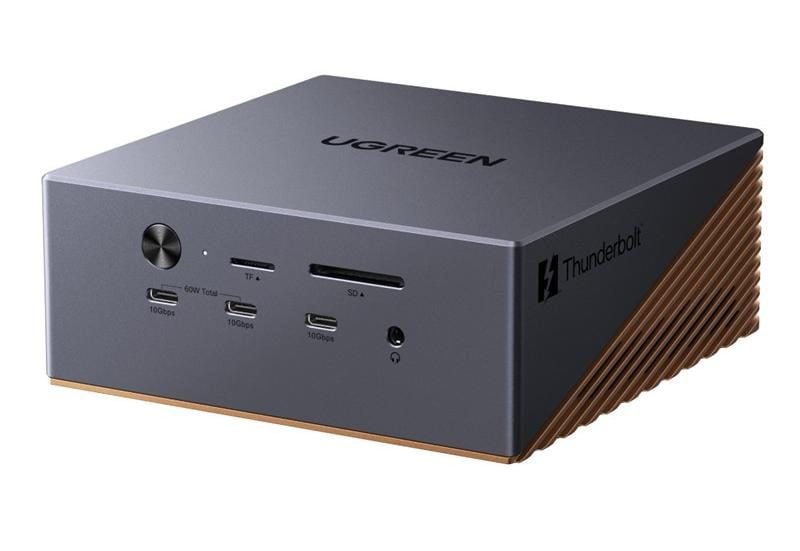
UGREEN's Revodok Maxidok 17-in-1 is the $389.99 flagship, and while I haven't put hands on this one, the spec differences between the two models are specific enough to be worth mapping out.
The 17-in-1 steps up to 2.5GbE ethernet, adds an M.2 NVMe PCIe Gen4 slot supporting drives up to 8TB, bumps total system power to 240W, includes additional USB-C ports, and adds active cooling for sustained heavy workloads. It's larger - roughly Mac mini-sized - but for a desk that's running hard all day, those additions matter.

UGREEN 17-in-1 Thunderbolt 5 Dock with 120Gbps Speed and 240W Charging
Promoted by FlowAds

Matching the Dock to Your NAS
Here's the framework that's been shaping how I think about these two docks since I started using the 10-in-1 in my own setup.
The UGREEN DXP4800 Plus is a capable home NAS - handles media streaming, backups, and everyday file access well. The 10-in-1 dock fits that same position. Gigabit Ethernet (1GbE) is fine for that workflow, and you're capped at roughly 125MB/s - plenty for how most home users actually interact with network storage.
The iDX 6011 Pro is a different machine - a high-capacity NAS built for serious local storage work. If you're offloading large RAW files or 4K footage from a work session directly to that drive, the 10-in-1's 1GbE port becomes the bottleneck. The 17-in-1's 2.5GbE pushes that ceiling to around 312MB/s. If you're squeezing everything out of the 6011 Pro, the dock should keep up. The 10-in-1 won't.
Full iDX 6011 Pro review coming soon.
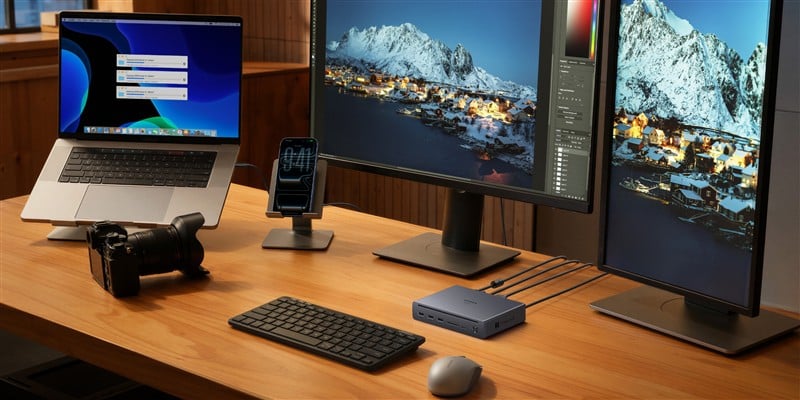
The Extra Money Is Worth It For Power Users Needing The Extra 17-in-1 Features
For most home office setups - a modern laptop, a DisplayPort monitor, a capable NAS, and a pile of peripherals that need to stop living in a drawer - the Revodok Maxidok 10-in-1 at $249.99 does the job well. One cable, clean desk, 100W laptop charge, fast transfer speeds. The dual TB5 display output is forward-looking for anyone who doesn't want to replace their dock in two years.
If you're running a high-throughput storage workflow with the iDX 6011 Pro, or if you want the flexibility of onboard M.2 storage, the $140 step up to the 17-in-1 is the right call. Either way, buy a USB-C to DisplayPort adapter before the dock arrives - that's the one cable UGREEN forgot to include.
For current pricing and availability on the 10-in-1, check Amazon.com.

Promoted by FlowAds
