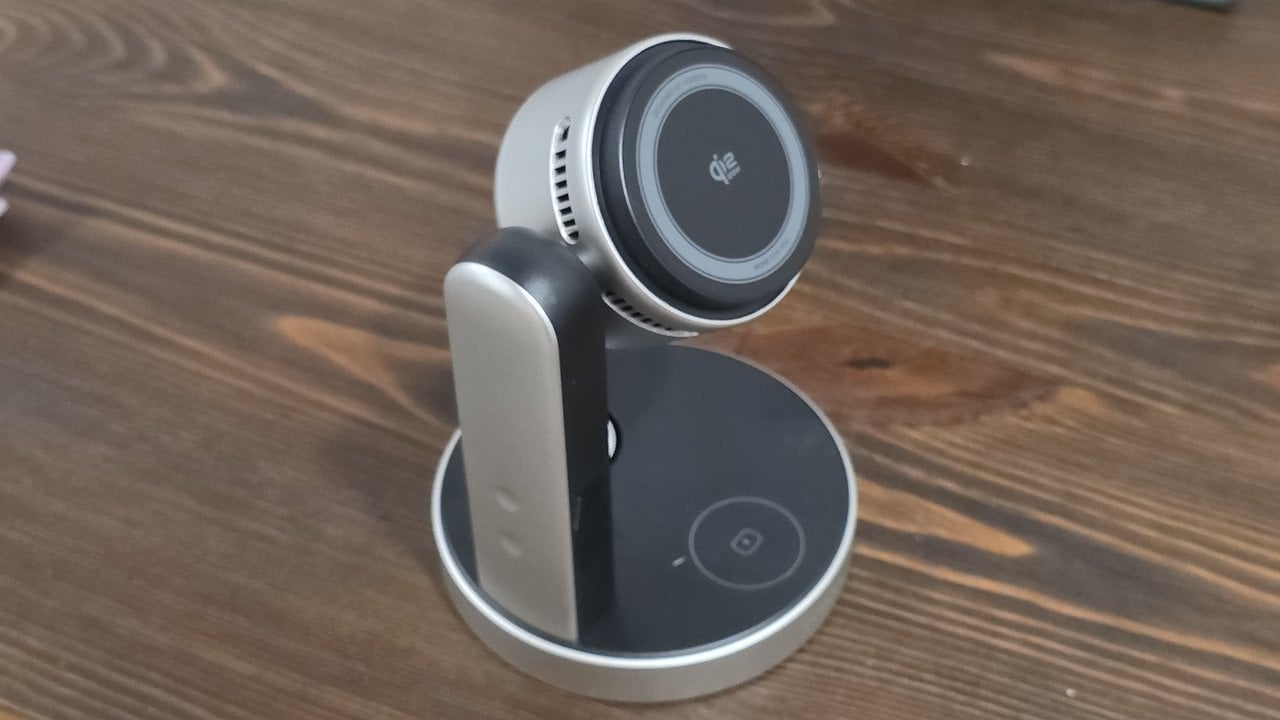
The UGREEN MagFlow Pro is a Qi2 25W 3-in-1 charging stand that charges a phone, a watch and a pair of earbuds all at once and it adds a thermoelectric cooler with a fan built right into the phone pad to keep it nice and cool for stable, safe charging. Fast wireless charging runs hot and heat wears down batteries. I want this phone to last a lot longer than my usual upgrade cycle, so this is a power-user's dream - even if it's ultimately limited by the hardware that I have right now.
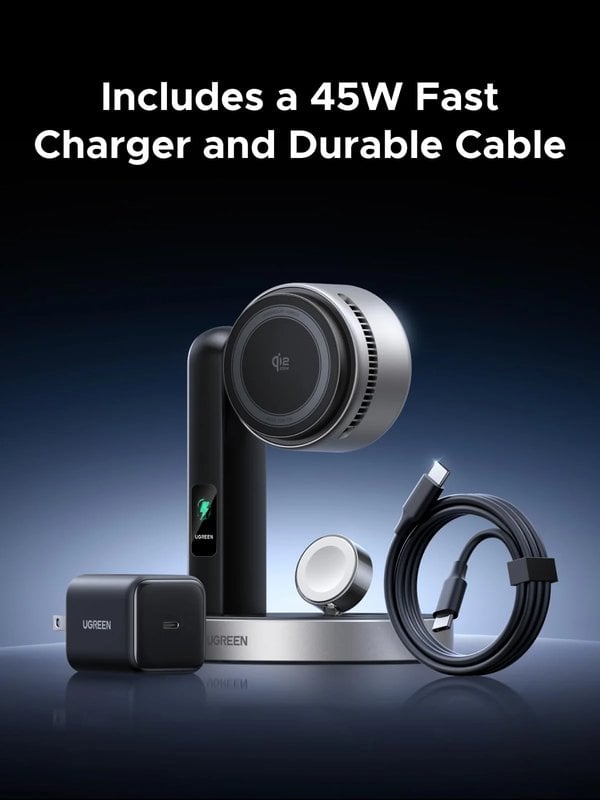
The UGREEN MagFlow Pro Qi2 25W 3-in-1 Wireless Charger lists at $159.99 direct from UGREEN and you can also buy it on Amazon.com. The box includes a 45W wall adapter and a USB-C cable as well so you don't need to worry about incompatible charging blocks or cables causing this beast to not be able to achieve it's full potential.. The 25W printed on the pad is a ceiling, and your phone decides how close you get to it. UGREEN gear already has earned its place throughout my house - from finder tags to the machines I build software on (my UGOS-powered NAS's double as development and testing machines). Their MagFlow magnetic power banks ride in my bag so I'm never caught without a charge, and the Nexode 200W charging station handles the cables on my desk. The MagFlow Pro takes over the spot where I charge wirelessly, and it's built around a problem I ignored for years: heat. Promoted by FlowAds Talking with my father-in-law Jim about wireless charging pads the other day made me realize just how "1%" I am sometimes. He's happy with a simple $20 pad from Walmart, and why not? It works for him. His phone charges slowly overnight, and by morning, or after his nap, it has enough charge for what he needs it to do. My charging looks nothing like that. I've got a Galaxy S25 Ultra and a set of earbuds in their charging case, and I'll add a watch to the pile soon. I carry my UGREEN MagFlow power banks everywhere because I never want to be caught without a charge, which is the same logic that makes one worth packing for a long weekend with the guys when outlets are scarce. When I come back to my desk, I want to charge fast. The catch is that fast induction charging produces a lot of heat. Heat is not great for battery life. Lithium-ion cells wear faster the hotter they run, and a phone sitting on a fast wireless pad gets warm. For years, I was willing to make that trade for convenience, because my upgrade cycle was almost always under 18 months. The battery never had to last very long. This cycle I said no thanks to the S26, and I'm not sure I want the S27 when it lands next spring. My phone is more than good enough right now. Between RAM prices and where processors are headed, the writing is on the wall: the next generation of phones is likely to cost more, and it could even be less powerful at the same price. That means I need to protect my investment and make this battery last two or three years, maybe more. Pushing 36 months is probably unrealistic, but the point stands. Even at 15W, a phone gets hot on a wireless pad. For anyone with an S26 or an iPhone that takes the faster speeds, heat is an even bigger factor. UGREEN's answer is a system it calls CryoPulse. TEC stands for thermoelectric cooler, a solid-state chip that pumps heat from one face to the other when current runs through it. The cold side sits behind the magnetic pad your phone rests on, and a fan in the round housing pushes the heat from the hot side out through the vents along its edges. UGREEN's numbers are aggressive. It says conventional wireless chargers can reach 108°F, and it rates the center of the charging surface as low as 51.8°F with cooling on and says the pad runs 32.4°F cooler, both measured in its own testing at a 77°F room temperature. Those are the manufacturer's figures, and none of the reviews I read put a thermometer on the pad independently. UGREEN rates the fan under 15dB. A phone that stays cool keeps charging at full speed instead of throttling itself back, and it spends less of its life at the temperatures that wear a battery down. A small screen on the arm shows the phone pad's surface temperature, the wattage going to the phone, and the wattage going to the earbuds and watch pads. It also shows the cooling mode and flags it when the power adapter is under 45W, a handy warning if you borrow the brick for a trip and plug the stand into something weaker. Two buttons on the arm run everything. The display button wakes or sleeps the screen with a double-press, and press-and-hold adjusts the brightness. The cooling button handles the fan and TEC: the label says cooling switches on automatically when an iPhone is charging, and a double-press turns it on or off manually. That auto-on wording is written around iPhones, so Android owners should remember the double-press. It's how you make sure the cooler is running when a Galaxy is on the pad. Here's the trade-off with any active cooling system: there's a fan, and you can hear it. Even with UGREEN's under-15dB rating, the MagFlow Pro still makes an audible hum, so it might not be ideal on your nightstand or in your home theater, where quiet scenes are exactly when you'd notice it. On my desk, it's totally perfect and fits right in. My PC sounds like a jet engine ready to take off when I run routines in ComfyUI, and my NAS clicks along as I transfer files back and forth. Next to that, the MagFlow Pro's fan is just background noise. If you want it bedside anyway, the double-press turns the cooler off. You give up the cooling for the night, which matters less when the phone has all night to fill up. This stand is built Apple-first, and two details matter if you're on Samsung. The first is speed. UGREEN lists 15W for Galaxy phones, and the S25 series has no built-in magnets, so it needs a magnetic case to lock onto the pad. My S25 Ultra wears a MagSafe case for exactly that reason. UGREEN says it charges through most MagSafe-compatible cases up to 3mm thick, so a slim magnetic case works and a rugged one may not. The full 25W is reserved for iPhone 16 and 17 models. The second is the watch puck. It's designed for the Apple Watch, not a Galaxy Watch or Pixel Watch, so if you're on the Android side for your watch too, plan on one of the three spots sitting empty. Honestly though, any Android watch user has already learned to accept their second-class status with wireless watch charging, so that doesn't bother me too much. Then there's the price. At $159.99 list, the MagFlow Pro costs eight times what Jim paid for his Walmart pad, though the 45W adapter in the box covers part of that gap. For slow overnight charging, his pad does the job. The MagFlow Pro is for the guy charging three devices mid-day for a quick, fast top off charge, who also plans to keep his phone for years. The most useful setup tip is to run the stand off the 45W adapter in the box. The phone pad, the watch, the earbuds and the cooler all draw from one input, and the display warns you when that input is under 45W. Plugging it into a monitor's USB-C port or an old phone brick runs the stand below what it was designed for. For me it's an easy call. I paid for convenience with heat when I replaced my phone every year and a half. Now that I'm planning to keep this one for the long haul, a charger that keeps it cool while charging it fast is the right tool for my desk. For current pricing and availability, check Amazon.com.


A $20 Walmart Pad Charges Jim's Phone Overnight, But Not Three Devices At My Desk
Keeping My S25 Ultra Two Or Three Years Means Taking Charging Heat Seriously
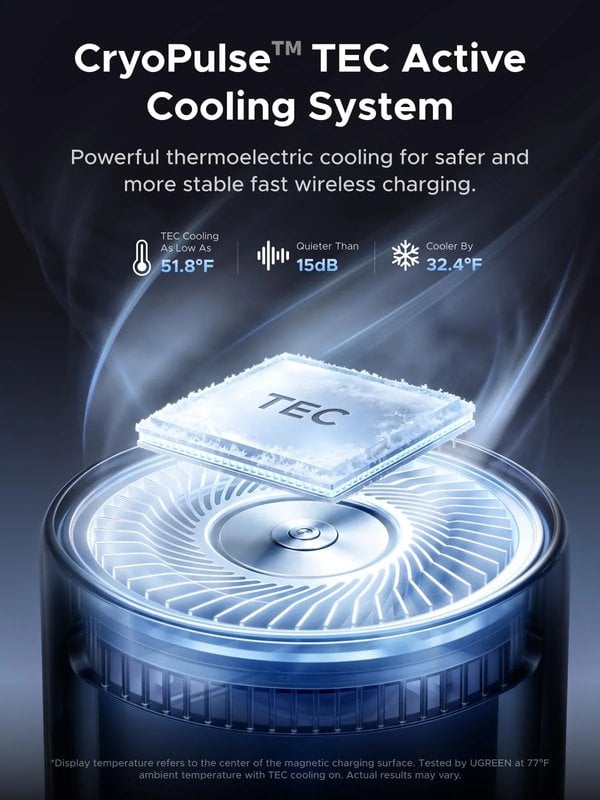
How The CryoPulse TEC Cooler Pulls Heat Away From Your Phone While It Charges
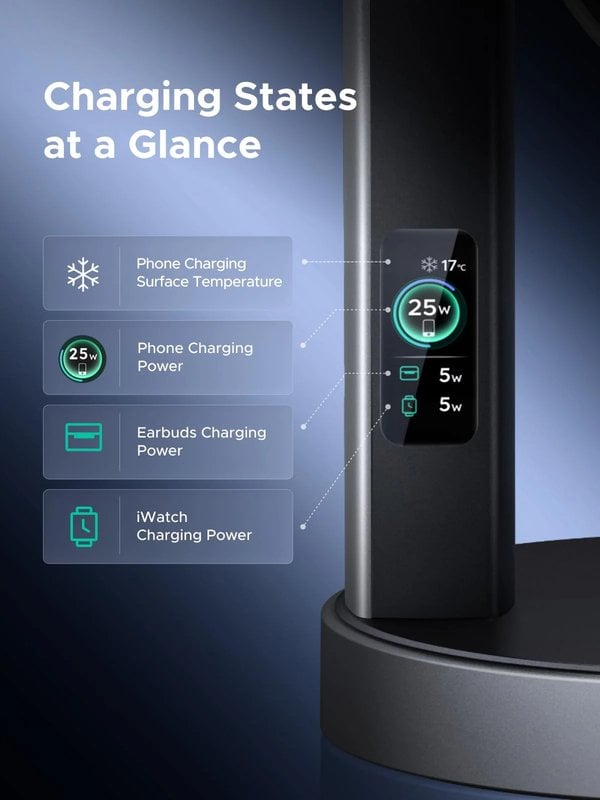
The Built-In Display Shows Pad Temperature So You Can Watch The Cooling Work
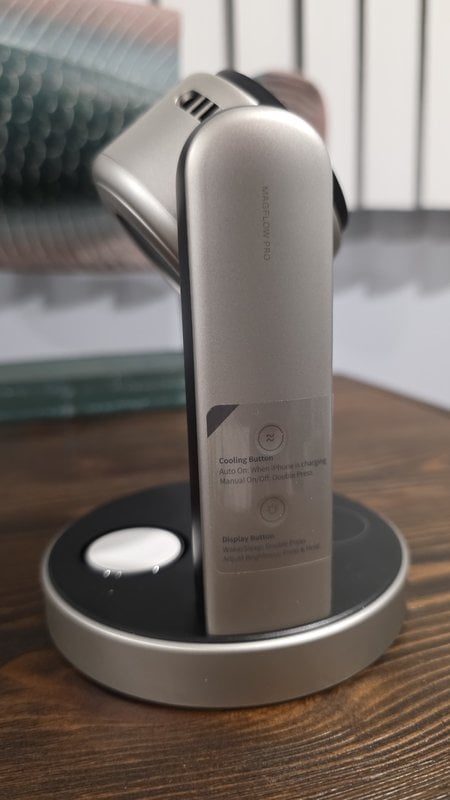
The Fan Hum Suits A Busy Desk Better Than A Nightstand Or Home Theater
What Galaxy Owners Should Know About Speed And The Watch Puck Before Buying
Use The Included 45W Adapter So The Cooler And All Three Pads Get Full Power