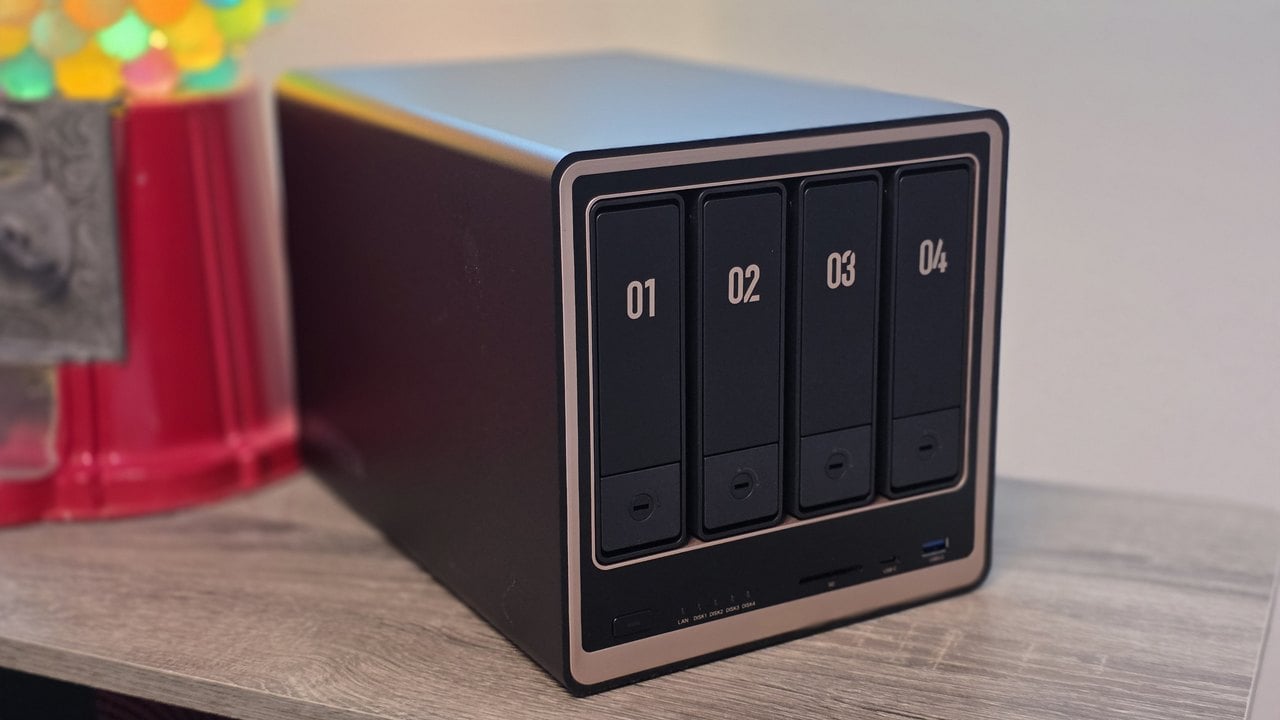
The UGREEN NASync DXP4800 GT is a four-bay NAS built around two 10GbE network ports, an AMD Ryzen Embedded R2514 processor, and two front bays that accept enterprise U.2 SSDs. It ships diskless at $659.99, which in July 2026 puts it twenty dollars under the DXP4800 Pro and forty over the DXP4800 Plus. That makes the choice between them less about money and more about which part of your setup is currently the slow part.
The UGREEN NASync DXP4800 GT lists at $699.99 direct from UGREEN, discounted to $659.99 as of July 2026, and you can check current pricing and availability on Amazon.com. It ships diskless, so budget drives separately, and it carries a two-year warranty.
The GT is the networking model in a lineup where the other two machines are the processing models, and that single difference reshapes what the box is good at.
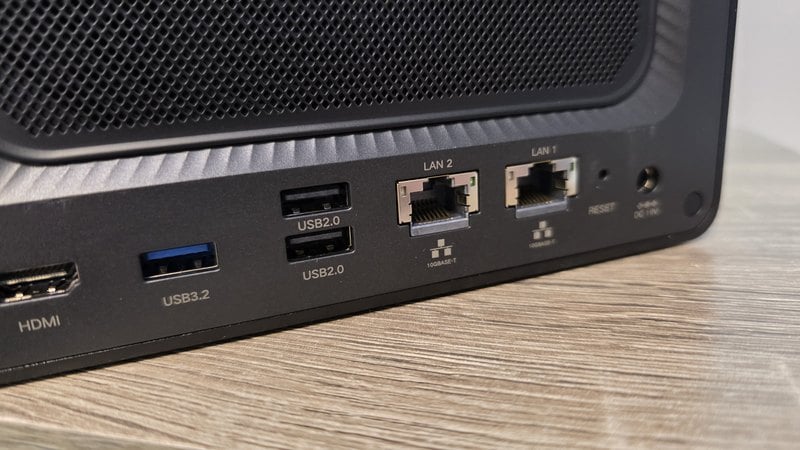
- Two 10GbE ports instead of one - the only DXP4800 that runs full speed on two segments at once.
- The 20Gbps figure is an aggregate, not a doubling for any single machine.
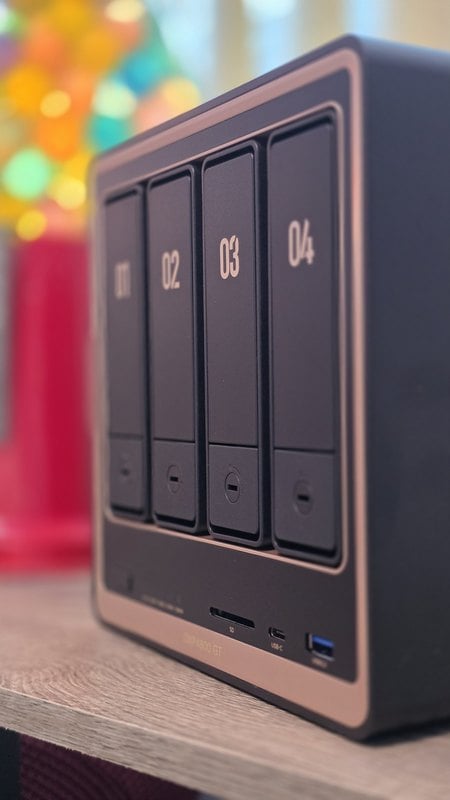
- Front bays 1 and 2 take U.2 enterprise SSDs, an interface neither sibling offers at any price.
- The GT has the slowest processor of the three and the fastest networking.
- JBOD plus NVMe can beat RAID 5 when your working set is small and read constantly.
I already run a UGREEN NASync DXP4800 Plus, and it is still where my development and test box lives. The GT came in as a second machine rather than a replacement, and it took over streaming, running servers, and the daily backups.
Where The GT Sits In The DXP4800 Lineup
UGREEN sells three four-bay DXP4800 machines, and the spec sheets look close enough that it is easy to buy the wrong one. All three hold four SATA drives, run UGOS Pro, share the same RAID levels and the same 10.1 by 7.0 by 7.0 inch chassis, and top out at 144TB, counting four 32TB drives plus two 8TB NVMe drives.
| Spec | DXP4800 GT | DXP4800 Plus | DXP4800 Pro |
|---|---|---|---|
| Processor | AMD Ryzen Embedded R2514, 4 cores 8 threads | Intel Pentium Gold 8505, 5 cores 6 threads | Intel Core i3-1315U |
| Memory | 8GB DDR4, to 64GB | 8GB DDR5, to 64GB | 8GB DDR5, to 96GB |
| Network | 2x 10GbE | 1x 10GbE, 1x 2.5GbE | 1x 10GbE, 1x 2.5GbE |
| System disk | 64GB eMMC | 128GB SSD | 128GB SSD |
| U.2 in front bays | Yes, bays 1 and 2 | No | No |
| Price | $659.99 | $619.99 | $679.99 |
Those rows describe three different bottlenecks, and the badge names are misleading. GT sounds like the fastest one, but independent benchmarks put its Ryzen Embedded R2514 last of the three on raw processor performance. What it buys instead is dual 10 GbE networking, ECC-capable memory and the option to install enterprise-style U.2 SSDs in two of the front bays. That is also why all three land within sixty dollars of each other: UGREEN is selling three answers to the question of what your setup runs out of first.
The Pro spends its money on compute. Its six-core, eight-thread Intel processor is better suited to converting video on the fly, running processor-heavy Docker applications or keeping several virtual machines responsive at once. Its 96GB memory cap, compared with 64GB on the GT, can also mean the difference between running a handful of Docker apps comfortably and running several virtual machines alongside memory-intensive containers such as Immich, OpenSearch or game servers.

Promoted by FlowAds

The GT spends its money on sustained storage and network throughput. With sufficiently fast SSD storage, one 10 GbE connection can serve an editing workstation while the other handles backups, a second network or additional high-speed clients. The two ports can also be aggregated for greater total throughput across multiple users, although they do not ordinarily turn one file transfer into a 20 GbE connection. Its U.2 support and ECC-capable memory further position it for write-heavy storage, databases and virtual-machine disks that need to operate reliably around the clock.
Serving a 4K file and transcoding one are different jobs: one is primarily a storage and bandwidth problem, while the other is a processor problem. Independent testing shows that the GT can nearly saturate a 10 GbE connection, but the Pro remains the stronger choice when the workload requires substantial processing after the data arrives. Spec figures throughout are UGREEN’s own, while processor and network-performance comparisons come from independent benchmarks. Prices were current in July 2026.
Dual 10GbE Is Great If You Have a Network That Is Ready For It
Either port on its own gives you a 10GbE link. Run both into a managed switch with link aggregation and you get up to 20Gbps of combined bandwidth spread across multiple simultaneous connections, not 20Gbps to any one machine. A single workstation stays capped at 10GbE no matter how you bond them, which is the part people misread.
If one person needs the fastest single transfer, the second port does nothing for them. If several machines hit the box at once, which is what happens when a household streams while a backup job runs, the second port starts carrying traffic. The second port can also skip bonding and serve a separate segment, or run a direct cable to one machine.
UGREEN lists what you need before any of that speed shows up, and it reads like a shopping list: a 10GbE adapter in the client machine, a 10GbE switch or a direct connection, Cat6a cabling, and a storage configuration fast enough to keep up. I have a 10GbE switch tying my PC and server machines together, so the ports have something to talk to. Buy this model on a 1GbE network and you have paid for speed you cannot reach yet.
UGREEN's own comparison graphic quotes 1250MB/s against 315MB/s for 2.5GbE, and footnotes it as theoretical PCIe 3.0 bandwidth. Treat that as the ceiling the wiring allows, not a number anyone measured.
Docker, Virtual Machines, And Media Serving
UGOS Pro runs Docker containers and virtual machines, and once you start doing that the NAS stops being a hard drive with a network jack. Mine handles the media server for family, website backups, remote git backups, and the game engine I am building. It is also where I load up containers to see what home lab software is worth keeping.
The always-on services moved to the GT while the Plus kept the development work, which keeps a long build from sharing a processor with the services that have to stay up.
Streaming has been solid on the GT, though UGREEN itself points buyers with codec-heavy media server workloads toward its Intel models, because Intel's Quick Sync handles hardware transcoding well. Transcoding is the conversion a server runs when a device cannot play the original file, so if your library already matches your devices you never touch it. Run a lot of simultaneous remote streams that need converting and an Intel DXP4800 is the better buy, which UGREEN says on its own product page rather than leaving you to find out.
RAID Levels And The JBOD Alternative
The GT supports JBOD, Basic, RAID 0, 1, 5, 6, and 10, and picking among them is a question about which failure you are more afraid of.
RAID 0 stripes across every drive for speed and full capacity, and loses everything if one drive dies. RAID 1 mirrors, RAID 5 survives one failure, and RAID 6 survives two, which starts to matter as capacities climb and rebuilds stretch into days. RAID 10 sits in the middle, mirroring and striping for speed with redundancy, at half your capacity.
There is also a case for skipping RAID entirely. Run the drives as JBOD, keep the pool small and fast, and lean on NVMe and SSDs instead of platters. You give up the automatic rebuild, so the backup plan has to be an actual second copy somewhere else. That caveat applies to the RAID levels too: redundancy buys you uptime while a drive is replaced, and it is not a substitute for a backup.
Memory, NVMe, And U.2 Upgrade Paths
The 8GB of DDR4 in the box covers file storage, backups and light container use, and UGREEN says as much in its own documentation. Plan on more if you intend to run several containers or a virtual machine alongside everything else, up to the 64GB ceiling.
ECC needs one clarification. The platform supports it, but the module in the box is standard non-ECC, so running ECC means buying compatible sticks yourself and checking them against UGREEN's NAS compatibility list first. What ECC gives you is memory that catches bit errors before they reach your files, which matters more on a machine left powered on for months than on a desktop you reboot daily.
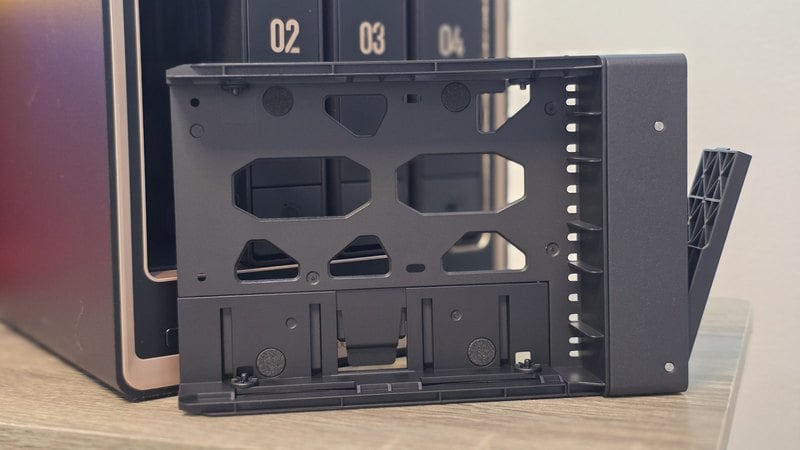
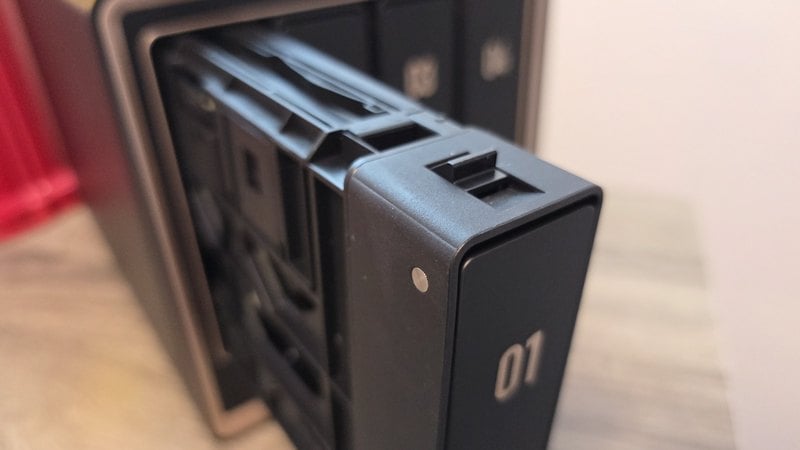
The two internal M.2 NVMe slots sit alongside the four SATA bays and can act as cache or as a separate SSD storage pool. U.2 works differently: front bays 1 and 2 accept U.2 NVMe SSDs at PCIe 3.0 x4, but a U.2 drive replaces the SATA drive in that bay instead of adding capacity next to it. That is the trade for enterprise endurance and sustained writes on active project files, virtual machine storage or a database, and those drives pull more power and run hotter than SATA.
The GT puts UGOS Pro on 64GB of internal eMMC where the Plus and Pro both use a 128GB SSD. That disk holds the operating system rather than your files, so it never touches transfer speed, but eMMC is slower for app installs and container images, and it is soldered down, so it is not a drive you swap or load your own OS onto.\
So, Which DXP4800 Belongs On Your Network?
The GT is the one to buy when network throughput is your constraint. Its dual 10GbE ports and front-bay U.2 support are the features the Plus and Pro cannot match, although neither matters much until the rest of your network has the switches, adapters and cabling to use them.
For transcoding, either Intel model is the better fit, and the Plus costs less. For heavier virtualization, the Pro earns its small premium with the faster processor and a 96GB memory ceiling, compared with 64GB on both the Plus and GT. Buyers who simply want affordable shared storage should still look at the UGREEN DH2300 instead.
There is no single fastest model here. The GT is built for moving more data, the Pro is built for doing more with it, and the Plus covers the middle ground at the lowest price. Buy for the bottleneck your setup actually has, not the badge that sounds fastest. For current pricing and availability, check Amazon.com.