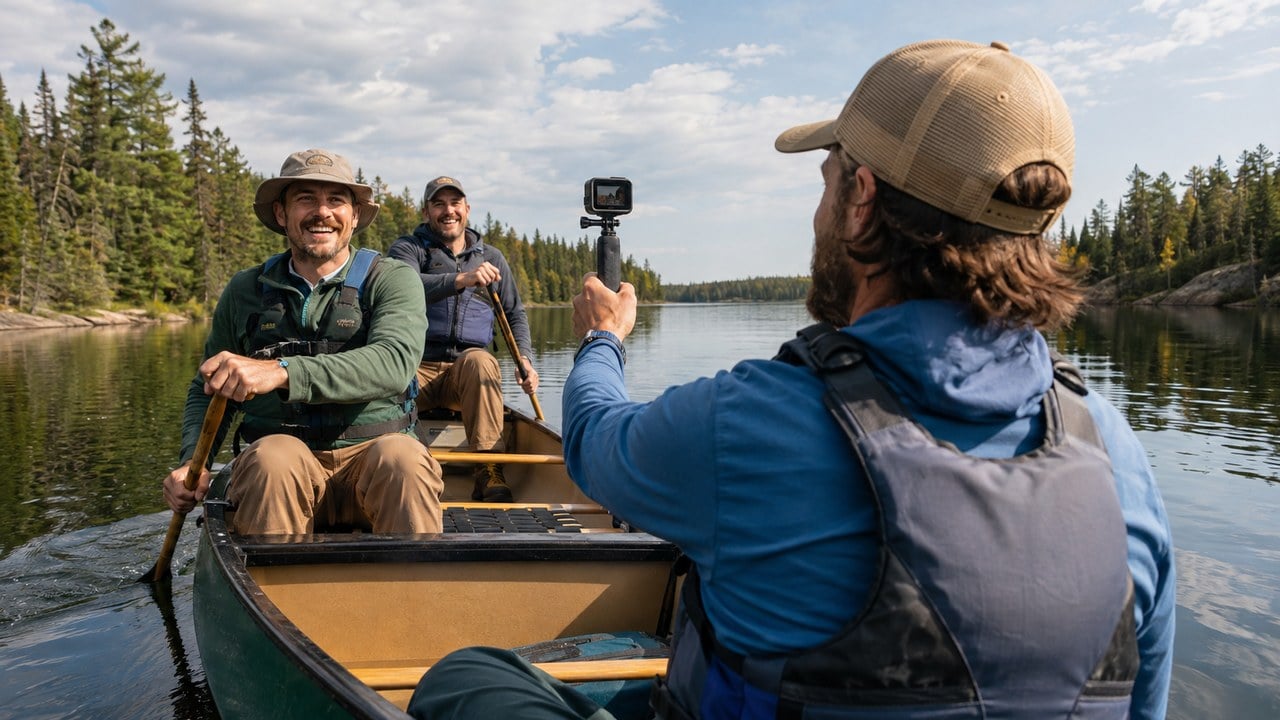
Every guys trip ends the same way: forty phone videos scattered across five different group members, and not one person who wants to spend a weekend editing them together. AI video editors have gotten good enough to close that gap, turning a folder of mismatched clips into one finished recap without anyone in the group having to learn editing software.
What Do You Call Your "Guys Trips"?
The tool is the easy part. Everything that has ever killed a guys trip recap happens before the editing starts.
- Nobody volunteers to edit - the designated videographer job is the reason most trip footage never becomes a video at all
- Collection is harder than the edit - getting five guys to send their clips is the step that stalls these projects
- Highlight detection replaces the scrubbing - the tool surfaces the moments worth keeping instead of someone watching everything twice
- One cut works everywhere - the same edit gets reframed and captioned for the group chat, Instagram, and a longer YouTube version
- Free to start - enough to test on one trip before deciding whether it becomes a tradition
That pile of unused footage has always been the quiet letdown of a great trip: good moments captured on a dozen different phones, scattered across group chats, and never turned into anything anyone watches twice. Higgsfield's AI Video Editor is built for that exact problem, taking everyone's raw clips and turning them into one finished recap without anyone volunteering to be the group's unofficial videographer.
Why Does Every Guys Trip End With a Pile of Unused Footage?
Nobody on a guys trip signs up to be the designated videographer, and for good reason. Everyone wants to be in the moment, not standing off to the side framing a shot while the rest of the group has the experience everybody paid good money to be part of.
The result is a trip documented in fragments: a few seconds here from one guy's phone, a longer clip there from someone else's, nothing coordinated and nothing anyone has the time or skill to piece together afterward. That footage sits in the group chat for a few days, gets a handful of laughs, and disappears into everyone's camera roll. By the time anyone thinks about it again, the group is already planning the next trip.

Egypt's Red Sea Resorts: Dive, Golf, and Desert Thrills for a Guys Trip
Men's guide to Egypt beach resorts: Red Sea adventures, luxury all-inclusive stays, and desert excursions. Experience championship golf and nightlife in Sharm El Sheikh. Perfect for groups seeking adventure and relaxation.

Why Men Who Love Alaska Cruises Should Try a Canada and New England Cruise This Year
Men's Alaska cruise alternative: Canada New England maritime heritage, craft beer, lobstering expeditions and military fortresses. Perfect for sophisticated travelers seeking coastal adventure.

4 Days Treasures of Thailand from Chiang Mai, Small Group
Four-day small group tour from Chiang Mai through the ancient capitals of Sukhothai and Ayutthaya to Bangkok. Ideal for history lovers.

5-Day Central Vietnam Tour: Explore Hoi An, Hue & Da Nang city
A 5-day guided tour of Hoi An, Hue and Da Nang with expert guides, ideal for travelers seeking culture, history and scenic beauty.
Promoted by FlowAds

What Has Made Combining Everyone's Clips Into One Video So Difficult?
Traditional video editing software has always required real time and real skill: sorting through hours of footage, finding the usable moments, cutting out the shaky and the pointless, and stitching what is left into something that flows from one moment to the next. For a group of guys with jobs, families, and zero interest in learning editing software after a trip, that project was never realistic no matter how good the intentions were in the group chat on the drive home.
Even when someone in the group does have editing skill, gathering the footage from four or five different phones, each shot at a different angle and in a different format, is its own headache before the editing starts. Most guys trip footage never makes it past that first hurdle.
How Is an AI Video Editor Different From Traditional Editing Software?
An AI video editor starts from a completely different place than a traditional timeline editor. Instead of manually scrubbing through hours of raw clips looking for usable moments, it detects highlights on its own, strips out dead time and shaky footage, and assembles a finished cut without anyone needing to know how to edit video.
Man Gear Pick of the Month
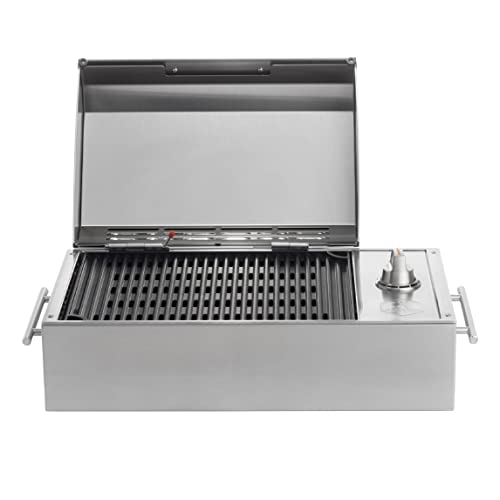
Kenyon City Grill Portable Stainless Steel Electric Grill
Why we picked it: a grill you can actually carry to the campsite, the tailgate or the cabin without borrowing a truck. Stainless, no propane tank to wrestle, and hot enough to cook for four guys rather than reheat for one.
 August's Pick LiberNovo Maxis Electric Big and Tall Ergonomic Office Chair, Graphite 52cm $1,163.00
  July's Pick Powerful Propane Torch Gun, Adjustable Flame Thrower Gun, Kitchen Torch with Detachable Design, Flamethrower Blow Torch for BBQ, Searing Steak, Welding, Camping Charcoal Lighter(Tank Not Included) $37.14
  June's Pick OYASUMI Funny BBQ Man Hot Dog Holders, 4 PCS Reusable Stainless Steel Sausage Stands, Portable Hot Dog Roasters, Barbecue Grill Accessories for Camping & Party Gifts $7.98
 Promoted by FlowAds

For a guys trip, that changes what is realistic to finish. Nobody in the group has to become an editor, learn a new piece of software, or give up an evening after getting home to piece together something watchable from five phones' worth of mismatched clips.
How Does Higgsfield Fit Into a Group's Trip Recap Workflow?
Higgsfield is not a single-purpose tool. It runs as a broader AI creative suite, putting video editing alongside generation, image tools, and upscaling inside one platform. That range matters for a trip recap, because the finished piece usually needs more than the edited video: a group photo touched up, a highlight thumbnail, a shorter version cut for the group chat itself. All of it comes out of the same workspace rather than three separate apps.
The AI Video Editor gives access to 15 or more top models and over 70 cinematic presets in one edit-to-export pipeline, so a folder of raw, mismatched phone footage comes out as a polished, publish-ready cut with no timeline and no editing experience required from anyone involved. As covered in our guide to planning a Caribbean golf trip, half the fun of a guys trip is making the guys who didn't join jealous, and a properly edited recap video does a lot more of that work than a scattered pile of unwatched group chat clips ever could.
What Capabilities Matter Most for Turning Raw Footage Into a Trip Recap?
A handful of specific features determine whether an AI video editor holds up when the footage it gets handed is a mess.
Pulling the Best Moments Out of Hours of Raw Footage
Higgsfield detects the highlights across a large batch of raw footage, the moments worth keeping, rather than requiring someone to manually scrub through everything looking for them frame by frame. That matters on a guys trip, where the best moments are rarely the ones anyone was thinking to prioritize while filming, because everyone was too busy being there.
Cutting Out Dead Time and Shaky, Unusable Clips
A big chunk of any group's raw footage is dead time: shaky handheld shots, someone's finger over the lens, thirty seconds of nothing happening while everyone figures out which restaurant to pick. Higgsfield strips out silence, filler, and unusable clips automatically, leaving behind only the footage worth including in a cut someone would want to watch more than once.
Getting the Video Ready for Whatever Platform the Group Shares It On
A trip recap rarely lives in just one place. It might go in the group chat, onto someone's Instagram, or into a longer YouTube-style recap for the guys who couldn't make the trip that year. Higgsfield reframes footage to each platform automatically and adds captions and styling, so the same edited footage works everywhere the group wants to share it without a separate export and a new set of formatting headaches for each destination.
Does This Require Getting the Whole Group Organized First?
This is the part most guys underestimate before trying it for the first time. The editing itself is fast once everything is uploaded, but getting five different guys to send over their phone footage after a trip is its own small logistical challenge, usually solved with one designated group chat request rather than chasing everyone individually.
A practical approach is putting one person in charge of collecting everyone's footage into a shared folder within a day or two of getting home, while the trip is still fresh enough that people bother sending clips. Once that footage is gathered, running it through Higgsfield takes considerably less coordination than the editing itself ever would have, and it removes the excuse that always killed these projects before they got started.
How Does This Compare to Editing the Footage Yourselves?
The gap between someone in the group attempting the edit manually and handing it to an AI video editor becomes clear the moment you are staring at a folder of mismatched clips from five different phones with no idea where to begin.
| Factor | Editing It Yourselves | AI Video Editor with Higgsfield |
|---|---|---|
| Skill required | Real editing software knowledge | Describe what you want, let the tool handle it |
| Time investment | Hours, often spread across several evenings | Minutes once the footage is uploaded |
| Finding the highlights | Manually scrubbing through everything | Detected automatically across the whole batch |
| Formatting for different platforms | A separate export for each destination | Reframed and captioned automatically |
| Best suited for | Someone in the group who enjoys editing | Every trip, regardless of who is available to edit |
That comparison doesn't mean a skilled editor in the group can't still do a great job manually. Some guys enjoy that part of the process and would rather handle it themselves as a creative outlet. What changes is whether a trip recap happens at all when nobody in the group has the time, skill, or interest in taking it on once everyone is back at work the following Monday.
Which Groups Get the Most Value Out of This?
Groups without a designated editor stand to benefit most, since AI video editing removes the single biggest reason guys trip footage never becomes anything more than scattered clips in a group chat. Groups that travel together on a schedule, an annual trip, a recurring golf weekend, a yearly fishing trip, get the most out of it over time, since a proper recap video turns into something worth building a tradition around rather than a one-off nobody repeats.
Groups documenting a milestone trip, a bachelor party, a big anniversary weekend, a once-in-a-lifetime destination, also gain real value, since those are exactly the trips worth having something more permanent than scattered phone clips to look back on once the details start to fade. And any group where several people filmed on their own phones without coordinating is the exact scenario an AI video editor was built for, since combining footage from multiple sources is the tedious part nobody wants.
How Do You Pull This Off After the Next Trip?
Higgsfield is free to start with, so gathering everyone's footage into one folder after the next trip and running it through the editor is a low-effort way to find out whether it is worth doing every time. Getting every guy in the group to send their clips over is usually the hardest part of the whole process, not the editing itself.
Once the footage is uploaded, describing the kind of recap you're after, an upbeat highlight reel or a longer, more complete record of the trip, gives Higgsfield enough direction to put together a solid first cut worth reviewing before anyone signs off on it. From there it's a matter of sending the finished video to the group chat and watching everyone relive the trip they were part of, rather than scrolling past forty unwatched clips nobody ever got around to combining.
What's the Bottom Line for Capturing And Easily Editing Videos From Your Guys Trip?
The best moments from a guys trip have always ended up scattered across everyone's individual phones, worth keeping but never turned into anything anyone watches more than once. Combining that footage into something worth sharing has traditionally required more time, skill, and patience than most groups have available once everyone is back home and back to regular life. AI video editing tools don't replace the fun of being on the trip, they handle the part that has always kept the footage from becoming anything at all.
The one thing worth changing is when you assign the job. Pick the guy who collects the footage before you leave, not after everyone is home and already back at work, and the recap stops being a project somebody has to volunteer for.

What To Expect on Your First Viking River Cruise
Here's what to expect on your first Viking River cruise through Europe including a personal experience exploring Christmas Markets along the Rhine.

A. Erazo From Las Verandas Shares Why Men Love Roatán for a Caribbean Guys Trip
A. Erazo of Las Verandas on planning a Roatán guys trip: villas over hotel rooms, Black Pearl golf, sunrise fishing charters and what first timers get wrong.
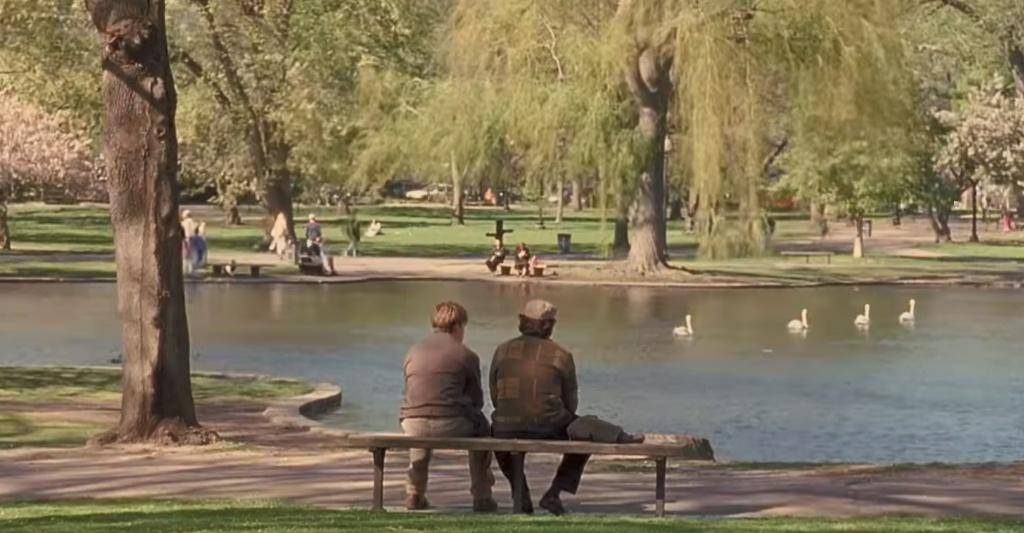
Good Will Hunting to The Departed: A Guys Film Tour of Boston
Boston film locations guys weekend: walk the real spots from Good Will Hunting, The Departed, The Town, and Spotlight. L Street Tavern, the Public Garden bench, and Charlestown — every neighborhood tells a story.
Promoted by FlowAds


Promoted by FlowAds
